Choosing the right digital signage display matters because it controls what people notice. A screen that’s too dim, too reflective, or too small gets ignored. Your message can be perfect and still fail. It also changes your running costs. The wrong pick can mean more downtime.
Content is the last piece. Some signage screen types handle video and motion well. Others are better for clean, static info. That’s why a quick commercial display comparison helps, especially if you’re weighing LED vs LCD signage or considering E-paper displays.
LCD, LED, and E-Paper Displays
Each display suits different goals.
(1) LCD Digital Signage
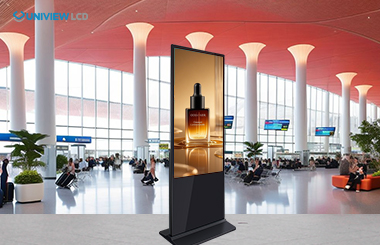
LCD is the go-to digital signage display for many businesses. It’s a flat-panel screen you’ll see in retail, offices, hospitality, and education. People often call them “digital signage screens”.
(2) LED Displays
LED displays are built from modular panels. You connect them to form a big screen. This is where “wow” visuals come in. LED is common in shopping centers, events, outdoor façades, and stage backdrops. It’s also used for large indoor feature walls. For LED vs LCD signage, LED often wins on scale and brightness.
(3) E-paper Displays
E-paper uses reflective tech. It looks more like ink on paper than a glowing screen. It’s made for information that people read; not content they watch. E-paper displays are strong for price tags, schedules, room signage, and basic wayfinding. They suit content that changes sometimes, not all the time.
Pros and Cons of Each Display Type
Each option has clear strengths. Each also has trade-offs.
(1) LCD Digital Signage
Pros: LCD has strong image quality for text, photos, and video. Sizes and price points are easy to match to your fit-out. Installation is also simpler than large LED walls.
Cons: Glare can be an issue without high-brightness models. Power use is higher than e-paper. In LED vs LCD signage, LCD can lose ground when sunlight and viewing distance are the main challenges.
(2) LED
Pros: LED is very bright. It holds up well in high ambient light. It also scales to big sizes without feeling like multiple screens stitched together. It’s strong for outdoor ads and large indoor feature displays. For many venues, LED vs LCD signage comes down to viewing distance and impact.
Cons: Upfront cost is often higher. Install needs more planning. You’ll need structure, power, and service access. Content design matters too. What looks great on a small LCD may not read well on a large LED from 10 metres away.
(3) E-paper
Pros: E-paper uses very little energy. In many setups, it mainly draws power when content changes. It’s also easy to read in bright spaces. The look is clean and “print-like”.
Cons: Colour is limited. Refresh is slow, so it’s not for video. Smaller formats are more common. Large-format e-paper can cost more and may have fewer options.
Quick Comparison Table (Cost, Brightness, Energy)
Use this commercial display comparison as a fast-starting point. Your final pick still depends on content and the space.
| Factor | LCD Digital Signage | LED Displays | E-Paper Displays |
| Upfront cost | Low–Medium | Medium–High | Medium (varies by size) |
| Brightness / visibility | Good indoors, varies outdoors | High, strong indoors/outdoors | Best for bright reading |
| Energy use | Medium | Medium–High | Low |
| Best content type | Mixed media | High-impact visuals | Static info |
| Typical use cases | Menus, wayfinding, promos | Outdoor ads, feature walls | Shelf labels, schedules |
How to Choose the Right Display for Your Space
A good choice starts with the job, then the environment.
(1) Define the job of the screen
Decide what matters most. Is it information-first, like hours and directions? Is it attention-first, like branding and ads? Or operational, like dashboards? This helps narrow signage screen types fast.
(2) Check viewing conditions
Look at lighting first. Direct sun and bright shopfronts can change everything. Then check distance and angle. Close-up reading needs crisp text. Across-a-room viewing needs size, brightness, and simple layouts.
(3) Match content and update frequency
If you need video or daily motion content, choose LCD or LED. If it’s simple text that changes weekly or monthly, e-paper displays make sense. If you need regular updates and mixed content, LCD is often the safe default.
(4) Budget beyond the screen
Plan for mounting, cabling, connectivity, and a media player or CMS. Add service access and warranty. This is where many projects blow out.
Conclusion
Pick the screen that fits the space and the content. LCD suits most indoor mixed-media needs. LED suits big impact and high brightness. E-paper suits low-energy, easy-to-read information.
Want help choosing the right digital signage display for your site? Get in touch with Uniview LCD and we’ll recommend the best option for your goals, including a clear commercial display comparison for your exact space.
 English
 Chinese (Simplified)
 Japanese
 Spanish