 English
 Chinese (Simplified)
 Japanese
 Spanish
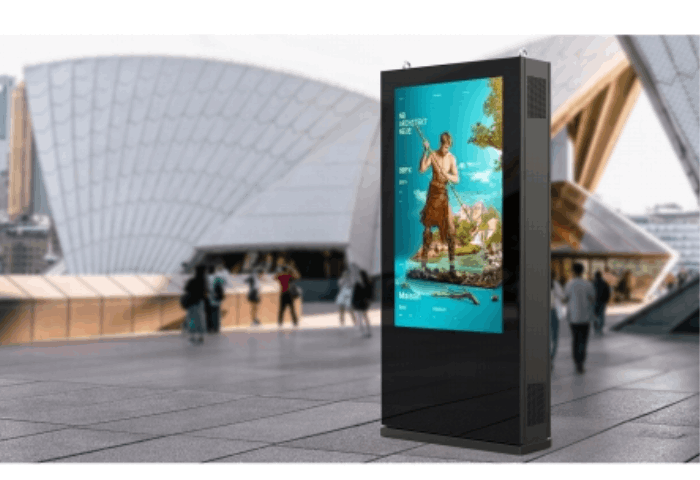
The six installation factors at a glance
A reliable outdoor digital signage installation rests on six non-negotiable foundations:
- Sunlight and Optical Readability: Direct sun washes out standard displays. You need a sunlight readable display outputting 2,500 to 4,000 nits, paired with anti-reflective glass and optical bonding.
- Thermal Management: The system must actively counter both ambient outdoor temperatures and internal solar heat loads. Proper cooling systems prevent permanent panel damage.
- Ingress and Impact Protection: The complete housing must achieve an IP65 outdoor display or IP66 outdoor display rating against wind-driven rain, combined with an IK10 vandal resistance rating to withstand vandalism.
- Power and Electrical Safety: Installations require dedicated outdoor-rated power, GFCI protection, robust surge protection, and lightning safeguards.
- Mounting and Wind Load Integrity: Structural engineering must account for building codes, foundation stability, and site-specific wind pressure calculations.
- Serviceability and Remote Diagnostics: Real-time remote device monitoring and accessible maintenance points ensure minimum field downtime over the lifecycle.
| Installation Factor | Essential Threshold | Core Risk if Ignored |
|---|---|---|
| Brightness | 2,500–4,000+ nits with auto-dimming | Total unreadability under midday sunlight |
| Enclosure Ingress | IP65 / IP66 sealed system | Internal short circuits, dust buildup, water damage |
| Impact Rating | IK10 rated tempered glass | Shattered panels from public impact or vandalism |
| Thermal Range | -30°C to +50°C (-22°F to 122°F) | Solar clearing (LCD blackening) and thermal shutdown |
| Wind Load | Engineered to local structural codes | Catastrophic structural detachment or collapse |
| Connectivity | Industrial 4G/5G or exterior-grade Cat6 | Constant downtime and offline playback failures |
Why a standard indoor screen is usually not suitable outdoors
Attempting to cut deployment costs by moving a consumer TV or standard commercial indoor screen outside—even inside a basic third-party enclosure—almost always ends in catastrophic field failure.
- Insufficient Luminance: Indoor displays generate 250 to 500 nits. Ambient outdoor light reaches up to 10,000 nits on bright afternoons. An indoor screen in direct light appears as a black mirror.
- Thermal LCD Blackening: Standard liquid crystals lose their molecular structure when the panel surface temperature exceeds 65°C (149°F), causing unrecoverable black isotropic patches across the display. Dedicated outdoor panels use ultra-high-temperature liquid crystal materials rated up to 110°C (230°F) to prevent LCD blackening.
- Corrosion and Condensation: Indoor electronics lack conformal coating. Diurnal temperature cycles force moisture inside non-sealed enclosures, leading to internal condensation, circuit oxidation, and electrical fires.
- Safety and Public Liability: Standard panels rely on untreated, fragile glass. Outdoor commercial installations require reinforced, laminated, or chemically strengthened glass engineered to resist heavy public impacts and stop glass shatters from harming pedestrians.
1. Survey the Installation Site and Viewing Conditions
A rigorous site survey forms the foundation of every dependable outdoor digital signage installation. Outdoor spaces present unpredictable lighting, fluctuating temperatures, and structural challenges. Before we specify hardware, pour footings, or finalize panel brightness, we inspect the physical environment to guarantee high uptime, legibility, and physical safety.
Measure direct sunlight, shade and screen orientation
Sun path and orientation directly dictate the thermal stress and optical demands on your display. A screen facing directly south in the Northern Hemisphere absorbs extreme solar radiation during peak midday hours, demanding high-brightness panels and heavy-duty heat dissipation.
- South-facing setups: Experience prolonged solar exposure and peak heat loading throughout the day.
- East- and west-facing setups: Face low-angle, intense sunlight that produces harsh glare during sunrise or late afternoon, often requiring specialized anti-glare glass.
- North-facing setups: Benefit from steady, indirect ambient light, which reduces thermal stress and allows for lower operational nit levels.
Pinpointing exact solar exposure also helps us evaluate the difference between different cooling methods for digital signage and how to choose the correct active air or HVAC setup for the enclosure.
Confirm viewing distance, viewing angle and audience movement
Audience behavior dictates display dimensions, placement height, and enclosure orientation. We balance viewing distance and dwell time based on whether the target audience travels on foot or by vehicle.
| Audience Type | Average Speed | Typical Viewing Distance | Optimal Screen Size | Minimum Text Height |
|---|---|---|---|---|
| Pedestrians (Walkways/Malls) | 3 – 5 km/h | 1.5 – 6 m | 43″ – 55″ | 25 – 50 mm |
| Slow Traffic (Drive-thrus/Plazas) | 15 – 30 km/h | 5 – 15 m | 55″ – 65″ | 75 – 120 mm |
| Fast Traffic (Roadsides/Avenues) | 50 – 80 km/h | 15 – 40 m | 75″ – 86″+ | 150 – 250 mm |
For pedestrian zones, wide-viewing-angle IPS panels preserve color accuracy and contrast up to 178 degrees, ensuring visitors can read the screen as they walk past.
Identify obstructions, traffic risks and accessibility requirements
Physical environments are rarely completely clear. We inspect the perimeter for potential operational and safety hazards:
- Sightline obstructions: Account for seasonal tree growth, utility poles, awnings, and temporary street fixtures that could block the display.
- Vehicle hazards: Screens located near parking bays, curbs, or loading docks require protective steel bollards to prevent vehicle impact damage.
- Accessibility and clearance: Public installations must satisfy local regulations (such as ADA standards in the US). Wall-mounted units in pedestrian pathways must stay within legal protrusion limits—typically under 4 inches (100 mm) from the wall if mounted between 27 and 80 inches above the finished floor.
Record the site information before requesting a quotation
Capturing concrete data during the initial site visit prevents costly change orders during the procurement and manufacturing stages. We always document the following details:
- Orientation: Exact compass heading of the display face to calculate solar heat load.
- Photo records: Wide-angle and eye-level photos taken from 5, 15, and 30 meters during morning and afternoon light.
- Power access: Voltage, breaker capacity, ground availability, and distance to the nearest electrical distribution board.
- Connectivity pathways: Field strength of local 4G/5G networks, distance to the nearest network switch for wired Cat6/fiber, and trenching feasibility.
- Mounting base: Structural makeup of the wall (brick, concrete, steel framework) or ground foundation specifications (soil conditions, paving depth, underground utility maps).
2. Specify the Right Brightness, Screen Size and Readability
A successful outdoor digital signage installation hinges entirely on screen visibility. An outdoor digital display must compete directly with ambient light levels that fluctuate from pitch-black nights to blinding midday sun. If the audience cannot read your content at a glance, the hardware investment fails immediately.
Choose brightness for shaded, partially exposed and direct-sun locations
Standard commercial indoor panels deliver between 350 and 500 nits, which wash out completely outdoors. To ensure clear visibility, match the screen’s nit rating to the exact physical exposure of the installation site.
| Exposure Level | Typical Lighting Environment | Recommended Brightness |
|---|---|---|
| Full Shade | Recessed under building canopies, transit shelters, north-facing alcoves | 1,500 – 2,000 nits |
| Partial Exposure | Filtered daylight, morning or late afternoon sun, dynamic shadows | 2,000 – 2,500 nits |
| Direct Sunlight | Unshaded open plazas, highways, south- or west-facing facades | 2,500 – 3,500+ nits |
For true sunlight-readable performance, direct-sun installations require ultra-high-brightness panels capable of delivering at least 2,500 nits sustained output without thermal degradation.
Use automatic brightness control to balance visibility and power consumption
Running a high brightness outdoor display at maximum output 24/7 burns out backlights prematurely, wastes immense amounts of power, and creates severe light pollution at night.
- Ambient light sensors: We integrate auto-dimming light sensors directly into our outdoor housings to continuously gauge surrounding lux levels.
- Energy savings: Automatic brightness control cuts total power consumption by 30% to 50% during nighttime and overcast periods.
- Hardware longevity: Lowering output during darker hours reduces internal operating temperatures, directly extending the lifespan of the LED backlights and internal driver boards.
Reduce glare with anti-reflective glass and correct screen orientation
Brightness alone cannot overcome surface reflections. When high-intensity sunlight strikes the outer protective glass, front surface glare can obscure the image regardless of digital signage brightness nits.
- Anti-reflective (AR) glass: Opt for glass treated with optical AR coatings, which reduce surface reflection to under 1.5% compared to roughly 8% on untreated glass.
- Optical bonding: Eliminating the air gap between the LCD panel and the protective front glass via optical bonding eliminates internal light bounce. This drastically improves contrast ratio, prevents optical distortions, and stops internal fogging.
- Screen tilt and orientation: Angling the display downward by 3 to 5 degrees during mounting deflects the primary glare path toward the ground instead of toward pedestrian eye levels.
Match screen size, resolution and text size to the viewing distance
Audience engagement drops if text is unreadable or content scale feels unnatural for the space. Applying proper screen placement and readability guidelines ensures your content communicates effectively at target distances.
- Screen Size Selection:
- 43″ to 55″: Ideal for close-quarters pedestrian traffic, interactive directories, and drive-thru order points (viewing distance: 1.5 to 4 meters).
- 65″ to 75″: Suited for transit stations, retail plazas, and general outdoor information boards (viewing distance: 4 to 10 meters).
- 86″ and larger: Best for broad pedestrian avenues, campus walkways, and slow-moving vehicular zones (viewing distance: 10+ meters).
- Resolution and Legibility: While 1080p is sufficient for viewing distances greater than 5 meters, 4K UHD is mandatory for close-proximity interactive kiosks. As a standard baseline, typography should maintain a minimum height of 25 mm (1 inch) for every 3 meters (10 feet) of anticipated viewing distance to guarantee immediate legibility.
- Screen Size Selection:
3. Protect the Complete Display from Weather and Physical Damage
Outdoor installations leave zero room for defensive gaps. If moisture or dust bypasses the housing, internal electronics degrade rapidly. To secure long-term reliability in an outdoor digital signage installation, every mechanical interface must shield against extreme environmental wear and deliberate tampering.
Understand what IP65 and IP66 actually protect against
Ingress Protection (IP) ratings classify physical defense against particulates and liquid penetration.
- IP65 outdoor display: Dust-tight construction completely halts fine particulate ingress. It repels standard water jets projected by a nozzle (6.3 mm) from any direction.
- IP66 outdoor display: Delivers identical dust-tight defense but resists powerful, high-pressure water jets (12.5 mm nozzle) and heavy seas.
For locations facing horizontal torrential rain, drive-through splash zones, or direct pressure-washer cleaning cycles, an IP66 enclosure provides the necessary safety margin.
| Ingress Rating | Dust Protection Level | Water Ingress Defense | Ideal Deployment Scenario |
|---|---|---|---|
| IP65 | Total dust-tight seal | Low-pressure water jets | Under building awnings, sheltered transit hubs, semi-covered plazas |
| IP66 | Total dust-tight seal | High-pressure, heavy water streams | Fully exposed highways, coastal walkways, jet-wash zones |
| NEMA 4X | Dust, dirt, ice formation | Hose-directed water & corrosion | Harsh industrial sites, marine environments |
Check whether the IP rating applies to the complete assembled unit
A common pitfall involves confusing front-glass sealing with total system integrity. Manufacturers often market an IP65 rating that applies solely to the front glass face, leaving the rear service doors, cable penetrations, ventilation louvers, and speaker grilles vulnerable to leaks.
An effective weatherproof digital signage system requires system-level verification: Sealing gaskets around rear maintenance panels must maintain elasticity under rapid temperature swings. Cable access glands must clamp tightly to conduits or outdoor-rated wire jackets. Internal air channels must stay isolated from open electrical components via dual-chamber engineering.
Consider IK ratings, locks and impact-resistant glass in public areas
Public deployment exposes displays to vandalism, accidental strikes, and forced entry. Mitigating these risks demands heavy-duty physical safeguards:
- IK10 vandal resistance: Utilize minimum 4 mm to 6 mm thermally toughened or laminated security glass capable of absorbing a 20-joule impact (equivalent to a 5 kg mass dropped from 400 mm) without shattering.
- Compression cam locks: Replace standard triangular key locks with high-security, multi-point compression locks to prevent lever attacks and preserve gasket pressure.
- Hidden fasteners: Conceal all mounting hardware and structural screws within locked internal access bays to prevent tool-assisted theft.
Account for rain, dust, humidity, salt air and corrosion
Regional microclimates dictate material selection. Standard powder-coated mild steel will blister, rust, and fail along seams within months when placed in high-humidity or coastal zones:
- Galvanized steel and aluminum enclosures: Use marine-grade 5052 or 6063 aluminum alloys, or hot-dip galvanized steel finished with outdoor-grade architectural powder coatings.
- Salt spray testing: Ensure enclosures survive a minimum of 1,000 hours of neutral salt spray testing (ASTM B117 standards) for general environments, and 2,000+ hours for coastal regions.
- PCB conformal coating: Internal power supplies, driver boards, and media players must feature anti-corrosion, anti-fungal conformal coatings to survive ambient moisture build-up and coastal airborne salt.
Compare a purpose-built outdoor display with an indoor screen in an enclosure
Retrofitting consumer or commercial indoor panels into third-party housings creates significant maintenance issues. While an enclosure offers basic weather shielding, managing heat dissipation, optical clarity, and thermal control remains problematic. Understanding the structural differences between an integrated outdoor panel and alternative commercial setups—such as reviewing the differences between LED and LCD displays—clarifies why purpose-built hardware performs reliably long term.
- Purpose-built outdoor LCD screen: Engineered as a unified, sealed thermal unit. It integrates high-tni liquid crystal panels, optical bonding to eradicate internal condensation, industrial high-brightness backlights, and balanced internal heat paths.
- Indoor screen inside a third-party box: Traps excessive internal heat between the display glass and enclosure cover, accelerating optical yellowing, panel blackening, and premature backlight failure. The resulting dual-glass layers also generate double reflections, severely degrading daytime contrast.
4. Design for Heat, Cold and Condensation
Separate ambient temperature from solar heat load
A successful outdoor digital signage installation requires calculating two separate heat sources: ambient air temperature and direct solar radiation. An outdoor ambient reading of 35°C (95°F) does not mean the display operates at 35°C. Solar radiation acts as a greenhouse inside an outdoor enclosure, adding anywhere from 15°C to 25°C to the internal chamber. When backlights run at high brightness to overcome ambient light, they generate substantial internal heat as well. I always calculate thermal load by combining the peak local summer temperature, maximum solar gain based on compass orientation, and the display’s own internal heat dissipation.
Prevent LCD blackening under direct sunlight
Standard commercial panels suffer from isotropic failure—commonly called LCD blackening—when the surface of the screen absorbs excessive solar energy. When the liquid crystals exceed their clearing point, they lose their molecular structure, turning the affected area into dark, unreadable blotches:
- Standard panels: Typically fail when liquid crystal temperatures reach 68°C to 75°C (154°F to 167°F).
- High-Tni industrial panels: Built with specialized liquid crystals rated for 105°C or 110°C (221°F to 230°F), allowing the screen to run in direct sunlight without thermal black spots.
- Optical bonding: Eliminates the insulating air gap between the protective glass and the LCD panel, conducting heat away from the display surface toward the chassis.
At Uniview LCD, we engineer direct-sun displays with high-Tni open cells and direct thermal conduction paths to ensure the screen stays pristine during peak noon exposure.
Compare passive ventilation, forced-air cooling and active cooling
Choosing the right thermal management architecture directly dictates hardware lifespan, maintenance cycles, and failure rates.
| Cooling Method | Best For | Advantages | Limitations |
|---|---|---|---|
| Passive Convection | Shaded areas, temperate climates, displays under 1,500 nits | Zero moving parts, silent operation, minimal maintenance | Cannot handle high ambient heat combined with direct sun |
| Forced-Air Cooling | Moderate-to-hot climates, direct-sun installations up to 40°C | Cost-effective, high airflow volume, robust heat dissipation | Requires clean air pathways, fan replacements, and regular filter servicing |
| Active Air Conditioning (HVAC) | Extreme environments (-40°C to 55°C), sealed IP65/IP66 enclosures | Completely isolated closed-loop cooling, precise temperature control | Higher power draw, larger footprint, higher upfront capital cost |
When you choose an outdoor LCD display, matching this cooling architecture to your regional climate profile prevents early backlight degradation and system shutdowns.
Control condensation when temperature and humidity change
Rapid drops in evening temperature cause internal air to hit its dew point, leading to moisture condensation on the inside of the front protective glass. Condensation ruins visibility, corrodes internal driving boards, and risks short-circuiting sensitive electronics.
To resolve this during installation: Internal PTC heaters: Automatically trigger when temperature and relative humidity thresholds cross predetermined limits, keeping internal surfaces above the dew point in winter and damp morning environments. Optically bonded protective glass: Removes the air gap entirely, making internal condensation physically impossible on the viewing area. Breather vents and desiccant chambers: Balance pressure differentials caused by heating and cooling cycles while blocking liquid water and humidity ingress.
Verify the operating temperature range using real product test data
Never accept component-level specifications as proof of system-wide reliability. A panel manufacturer might rate an LCD cell from -20°C to 60°C, but that rating does not account for the power supply, media player, internal cabling, or solar heat buildup inside an assembled enclosure.
Verify that your hardware provider provides certified thermal chamber test data for the entire assembled kiosk. The complete outdoor digital signage installation must prove full-load operation—with backlights driven at 100% output—across the local climate’s extreme minimum and maximum temperatures. Reliable manufacturers provide burn-in test reports showing sustained thermal equilibrium under simulated solar conditions before the unit leaves the factory floor.
5. Plan Power, Connectivity and Content Management
A successful outdoor digital signage installation relies on reliable power delivery and stable network architecture. Outdoor displays operate in harsh electrical environments with fluctuating temperatures, making robust infrastructure critical for continuous uptime.
Provide outdoor-rated electrical circuits, grounding and weatherproof cable entry
Outdoor screens draw significant current, especially when high-brightness backlights and heating or cooling systems run simultaneously. We ensure all electrical work meets industrial outdoor standards:
- Dedicated Circuits: Run dedicated, non-shared AC power lines sized to handle peak loads (including startup current from blowers, air conditioners, or heaters).
- Solid Earth Grounding: Establish a low-impedance ground connection directly at the unit to dissipate static charges and stray currents.
- Weatherproof Cable Entry: Route all power and data cables through the bottom of the enclosure using IP66- or IP68-rated cable glands.
- Drip Loops: Always bend cables into a downward drip loop immediately before the entry gland to prevent rainwater from tracking along the jacket into the chassis.
Use surge protection, lightning protection and residual-current protection where required
Exposed outdoor environments leave electronics vulnerable to utility spikes and lightning-induced voltage surges. We integrate multi-stage electrical safety:
- Surge Protective Devices (SPD): Install Type 1 + Type 2 SPDs at the internal distribution block to clamp high-voltage spikes before they hit the power supply or logic boards.
- Residual-Current Protection (GFCI / RCD): Protect maintenance teams and the public with ground-fault circuit interrupters (30mA threshold) designed for outdoor safety.
- Isolated Lightning Protection: For rooftop or open-plaza installations, connect the enclosure frame to the building lightning protection system while isolating sensitive low-voltage signal lines.
Choose wired Ethernet, Wi-Fi or cellular connectivity for the site
Selecting the right data connection directly affects deployment cost, maintenance access, and uptime.
| Connection Type | Reliability | Installation Effort | Best Application |
|---|---|---|---|
| Wired Ethernet (Cat6 / Fiber) | Highest | High (Trenching / Conduit) | Permanent installations, high-resolution video streaming, drive-thrus |
| 4G / 5G Cellular Modem | High | Low (Plug-and-play) | Standalone kiosks, transit hubs, temporary sites, isolated locations |
| Industrial Wi-Fi | Moderate | Medium | Short distances with clear line-of-sight to an existing network router |
Plan for network interruptions and local content playback
Network drops will happen. An outdoor screen must never display a generic desktop error or a blank black screen.
- Local Media Caching: The onboard media player must store media assets locally on solid-state storage. We configure hardware similar to our wall-mounted digital displays for seamless content updates, ensuring default playlists play interrupted even during offline states.
- Hardware Watchdog Timers: Integrate automated hardware watchdogs that restart the operating system or media software if a freeze or crash occurs.
- Failover Screen Layouts: Set automatic failover screens that revert to default branded graphics or emergency notices if the cloud connection is lost.
Use remote monitoring for temperature, power and display status
Physical service visits to outdoor sites are expensive. We deploy remote device management (RDM) tools to track hardware metrics in real time:
- Internal Temperature Sensors: Monitor intake, internal cavity, and exhaust temperatures with automated high-temp alert thresholds.
- Hardware Telemetry: Track cooling fan RPMs, power supply voltage rails, ambient light sensor outputs, and backplane health.
- Remote Power Cycling: Equip units with intelligent IP-switched power distribution units (IP-PDU) to cycle system power remotely without dispatching an on-site technician.
- Door Intrusion Alerts: Install microswitches on service doors to log maintenance entries and trigger immediate alerts against unauthorized physical tampering.
Design short, high-contrast content for outdoor viewing
Outdoor displays compete with bright daylight and fast-moving foot or vehicular traffic. Content must be tailored specifically for these conditions:
- High-Contrast Visuals: Use dark backgrounds paired with bold, light-colored typography, or clean white backgrounds with deep contrast elements to maintain legibility in daylight.
- Brevity and Scale: Keep core messages to 3–5 words with oversized fonts that viewers can read in under 3 seconds.
- Avoid Subdued Palettes: Low-contrast pastels and thin serif fonts wash out under strong ambient light. Use saturated, bold brand colors to preserve visual punch.
6. Verify Mounting, Wind Load, Compliance and Service Access
A successful outdoor digital signage installation depends entirely on the stability of its physical foundation and regulatory clearance. Outdoor digital screens face brutal environmental forces, including gale-force winds, thermal expansion, public traffic, and potential tampering. Overlooking mounting integrity or compliance codes leads to catastrophic structural failures, expensive fines, and severe liability.
Choose between wall-mounted, floor-standing and freestanding installations
The physical footprint and architectural structure of your site dictate your hardware mounting strategy:
| Mount Type | Best Application | Foundation / Fastener Specs | Primary Risk to Address |
|---|---|---|---|
| Wall-Mounted | Building facades, transit shelters, retail exteriors | Heavy-duty structural brackets, chemical anchor bolts into solid masonry or reinforced steel studs | Wall shear load capacity, wall-to-screen thermal buildup |
| Floor-Standing (Pedestal / Kiosk) | Sidewalks, plazas, entrance walkways, commercial forecourts | Reinforced concrete pad (minimum 3,000–4,000 PSI), embedded J-bolts or post-installed epoxy anchors | Pedestrian impact, localized pooling water, tipping moment |
| Freestanding (Pylon / Mast) | Roadside, drive-thrus, large parking plazas | Deep-drilled concrete piers, reinforced sub-base, heavy steel flange plates | High wind moments, base fatigue, soil condition variance |
For storefront environments with partial shelter, a dedicated semi-outdoor double-sided window display can eliminate heavy civil engineering while still reaching high-traffic outdoor audiences. However, fully exposed outdoor sites require purpose-built structural hardware designed from the ground up.
Calculate structural load and wind resistance
Outdoor displays act as massive sails against the wind. Failing to account for wind load calculation is the fastest route to structural failure:
- Determine Local Design Wind Speed: Reference local engineering standards (such as ASCE 7 in the US or Eurocode 1 in Europe) to establish the basic wind speed and gust velocity factors for your geographic zone.
- Calculate Surface Wind Pressure: Screen area, height above grade, and enclosure depth directly determine the total lateral thrust. A large format display in a coastal zone can easily face several thousand pounds of dynamic wind force during a storm.
- Assess Dead vs. Live Loads: Add the sheer dead weight of the display, internal cooling hardware, and structural steel to the dynamic live loads (wind, ice accumulation, and seismic movement).
- Specify Anchors and Torque: Never rely on standard expansion shields in hollow masonry. Use structural chemical anchors (epoxy-set threaded rod) or poured-in-place anchor cages rated to withstand both shear force and high pull-out tension. Verify anchor torque using a calibrated torque wrench during installation.
Check local permits, electrical codes and accessibility rules
Securing all regulatory approvals before drilling the first anchor avoids costly project shutdowns:
- Zoning and Outdoor Signage Permits: Verify local municipal zoning by-laws regarding brightness caps at night, animated content restrictions, display footprint limits, and right-of-way clearances.
- Electrical Code Compliance: Outdoor installations must strictly adhere to regional electrical codes (such as NEC Article 600). Ensure the complete display assembly—not just individual internal sub-components—holds recognized safety certifications (such as UL, CE, or ETL).
- ADA Signage Requirements (USA) and Pedestrian Accessibility:
- Protrusion Limits: Wall-mounted screens installed along pedestrian paths cannot project more than 4 inches (100 mm) from the wall if their leading lower edge is between 27 inches (685 mm) and 80 inches (2,030 mm) above the finished walking surface.
- Interactive Touch Range: If your outdoor kiosk features interactive touch controls, the highest operable part must sit within standard accessible reach ranges (typically 48 inches / 1,220 mm maximum height).
- Clear Walkway Space: Maintain unobstructed pathway widths to allow seamless wheelchair passage around floor-mounted totems.
Prevent theft, vandalism and unauthorized access
Publicly accessible hardware demands robust mechanical and electronic security layers:
- IK10 Vandal Resistance: Protect the LCD panel behind thermally tempered, anti-reflective laminated architectural glass engineered to survive high-energy impacts without shattering.
- Tamper-Proof Fasteners: Fasten all external structural covers, bezels, and service panels using tamper-resistant security screws (such as pin-in-Torx, Snake-Eye, or proprietary keyed security bolts).
- Chassis Security Locks: Avoid generic industrial cabinet keys. Deploy heavy-duty, multi-point compression cam locks with restricted-profile keys to eliminate unauthorized entry into internal electronics.
- Cable and Port Protection: Completely conceal all power and network lines within the mounting structure or through rigid, liquid-tight metal conduit. Never leave external USB ports or reset switches exposed to the public.
Leave safe access for cleaning, repair and component replacement
An outdoor enclosure must be serviceable in the field by a single technician without requiring specialized crane rentals for basic component swaps:
- Service Access Orientation: Choose between front-opening and rear-opening service doors based on your mounting position. Wall-mounted screens require gas-strut-assisted front access; freestanding totems benefit from full rear-access doors.
- Service Clearances: Maintain at least 3 feet (1 meter) of clear, level working space directly in front of all service doors and access panels.
- Modular Component Trays: Opt for enclosures with slide-out modular sub-racks. Power supply units, media players, logic boards, and cooling fan assemblies should be swappable via quick-disconnect wiring harnesses in under fifteen minutes.
- Internal Service Lighting: Integrate low-profile internal maintenance LED strips to allow safe, accurate technician diagnostics during night service calls.
Outdoor Digital Signage Specification Checklist
Executing a successful outdoor digital signage installation demands strict technical validation before deploying hardware in the field. Missing a single environmental or structural detail can cause premature display failure, costly service dispatches, or safety hazards. Use this engineering checklist to verify all deployment parameters before procurement and installation.
| Phase | Critical Review Item | Engineering Focus |
|---|---|---|
| Site Analysis | Exposure & Footprint | Sun path, thermal extremes, wind zone, public impact risk |
| Hardware | Display & Enclosure Specs | Nits, optical bonding, thermal loops, IP/IK certification |
| Infrastructure | Power & Connectivity | Dedicated circuits, surge suppression, waterproof cable glands, cellular fallback |
| Civil & Mounting | Structural Integrity | Concrete pad ratings, wind load engineering, service access clearances |
| Operations | Telemetry & Support | Remote hardware monitoring, offline playback, local spare parts stock |
Site and environmental information
Every location presents unique microclimates. Reviewing the direct physical environment guarantees the system survives localized stresses across various applications for outdoor digital signage.
- Sunlight Exposure and Orientation: Calculate the exact solar path across all four seasons. East- and west-facing displays catch intense, low-angle solar rays that increase thermal load significantly.
- Ambient Temperature Profile: Document historical record highs and lows, not just seasonal averages. Account for surrounding asphalt or concrete heat radiation.
- Atmospheric Hazards: Identify airborne salt in coastal zones, industrial chemical pollution, or heavy dust and sand in arid regions.
- Pedestrian and Vehicle Flow: Measure minimum and maximum viewing distances, angle of approach, and physical safety barriers between traffic and the installation base.
Display and enclosure specifications
Outdoor display hardware must balance optical performance with rugged environmental sealing.
- Luminance and Visibility: Specify 2,500 to 3,500 nits for full direct-sun exposure; 1,500 to 2,000 nits suffices for covered transit shelters. Ensure the panel includes an integrated automatic brightness sensor to prevent glare at night and reduce power draw.
- Optical Treatment: Require anti-reflective, anti-glare tempered safety glass. Specify optical bonding between the LCD panel and protective glass to eliminate internal condensation and secondary reflections.
- Ingress and Impact Protection: Mandate IP65 or IP66 certification for the fully assembled unit. Require IK10 vandal resistance to withstand intentional impacts in public rights-of-way.
- Thermal Management: Select closed-loop heat exchangers, active air-conditioning, or industrial forced-air cooling depending on local solar load, preventing LCD blackening under sustained UV exposure.
Power, network and cable-routing requirements
Electrical and data infrastructure must withstand exterior conditions without voltage drops or moisture ingress.
- Electrical Feed: Provide a dedicated outdoor-rated circuit with proper grounding and a ground-fault circuit interrupter (GFCI/RCD). Install Class I or Class II industrial surge protection devices (SPD) to guard against transient spikes and lightning strikes.
- Weatherproof Cable Termination: Route all power and low-voltage lines through sealed, liquid-tight conduit entering the bottom of the enclosure via IP67/IP68 compression glands. Never penetrate the top or sides of an outdoor enclosure.
- Data Redundancy: Deploy hardwired industrial Ethernet (Cat6) as the primary link. Pair it with an industrial 4G/5G cellular modem with external high-gain antennas to maintain continuous telemetry during fixed-line outages.
Mounting and structural requirements
Physical stability prevents structural failure during severe storms while ensuring accessibility compliance.
- Structural and Wind Load Calculations: Obtain signed engineering calculations verifying that the structure, anchor bolts, and foundation can withstand regional wind speeds (often 110–150 mph or local hurricane thresholds).
- Foundation and Anchorage: Verify concrete pad depth, curing time, and compressive strength (PSI). Use marine-grade 304 or 316 stainless steel wedge anchors or threaded J-bolts.
- Regulatory Compliance: Confirm that the display profile complies with local municipal sign codes, setback requirements, and local accessibility standards (such as maximum protrusion into pedestrian pathways).
Content management and remote-monitoring requirements
Remote hardware control is essential for preventing unscheduled field dispatches.
- Hardware Telemetry: Equip the display with a remote management board that streams internal temperature, humidity, fan speeds, door-switch alerts, and power supply voltages to your network operations center.
- Software and Failover: Pair reliable display hardware with a robust digital signage content management system capable of local caching. If the network drops, the internal media player must loop cached assets without showing black screens or OS error prompts.
- Automated Failsafes: Configure automatic thermal throttling and black-screen shutdowns if internal temperatures exceed safe operating limits.
Warranty, spare parts and maintenance requirements
Long-term reliability depends on the availability of replacement components and clear preventative servicing terms.
- True Commercial Warranty: Confirm that the warranty explicitly covers 24/7 continuous outdoor commercial use without invalidation from ambient solar loading.
- Modular Component Access: Choose designs with front- or rear-hinged doors and gas-spring struts that allow a single technician to swap power modules, motherboards, or fans without removing the unit from its mount.
- Consumable Spares Strategy: Maintain on-site stocks of high-wear components, including fan trays, dust filter sets, and power supplies, to maintain guaranteed service level agreements (SLAs).
Outdoor LCD vs Outdoor LED: Which Is Better for Your Installation?
Choosing between high-brightness outdoor LCD screens and direct-view LED displays comes down to pixel pitch, total viewing distance, enclosure mechanics, and project budget. Both technologies perform reliably in exterior deployments, but they solve entirely different visual and environmental challenges. Understanding these distinctions ensures you deploy hardware built for your exact site profile rather than overspending or compromising clarity.
| Factor | Outdoor LCD Display | Direct-View Outdoor LED |
|---|---|---|
| Best Viewing Distance | Close up: 1 to 5 meters (3 to 16 ft) | Distant: 5 meters to 50+ meters (16 to 160+ ft) |
| Native Resolution | Ultra-high (Full HD, 4K UHD) | Variable (dependent on pixel pitch and cabinet size) |
| Standard Screen Sizes | Standard diagonal panels: 32″ to 86″+ | Modular tiles: custom builds up to massive video walls |
| Protective Facings | Vandal-resistant, anti-reflective tempered glass | Exposed or encapsulated diodes (SMD/GOB) |
| Interactive Use | Fully compatible with PCAP touch overlays | Rarely practical for touch interactions |
| Structural Footprint | Streamlined kiosks, totems, and wall mounts | Heavy structural framework and rear service access |
When outdoor LCD is the better choice
Outdoor LCD is the superior solution when pedestrians view screens at eye level and need sharp, pixel-dense imagery. An outdoor LCD screen offers native 1080p or 4K resolution straight out of the box, allowing you to display intricate graphics, schedules, maps, and fine text without pixelation.
- Pedestrian transit hubs and wayfinding: Ideal for smart bus shelters, train platforms, and street-level pedestrian walkways where people stand within arm’s reach of the panel.
- Interactive digital kiosks: If your deployment requires self-service ordering, ticketing, or interactive directory maps, outdoor LCD handles multi-touch capacitive glass overlays seamlessly.
- Commercial totems and dual-sided displays: When designing street-level furniture, purpose-built outdoor systems like the Uniview LCD outdoor kiosks deliver slim profiles, integrated thermal management, and reliable weatherproofing in compact physical enclosures.
- Standardized modular designs: LCD panels feature fixed, uniform sizing, making enclosure engineering, standardized IP-rated seals, and field replacements straightforward.
When direct-view LED is the better choice
Direct-view LED takes over when your canvas exceeds standard display boundaries or when your content targets vehicular traffic from a distance. Because LED relies on modular cabinets assembled seamlessly without bezels, it scales to virtually any dimension.
- Large-format digital billboards: Best suited for building facades, highway signage, sports arenas, and roadside totems where the active screen area surpasses 100 inches diagonal.
- Extreme ambient sunlight challenges: LED delivers intense brightness, often running from 5,000 to over 8,000 nits, punching through extreme, unshaded direct sun without thermal color shifts.
- Custom aspect ratios: When the architectural structure requires ultra-wide, curved, or non-standard visual strips, modular LED cabinets fit footprints that rigid glass panels cannot accommodate.
- Long-range road visibility: LED shines when drivers need to absorb bold branding, simple text, or rapid promotional loops while traveling at highway speeds.
How viewing distance and content type affect the decision
Selecting the wrong technology directly degrades user experience. Close-range viewers looking at an LED display with a wide pixel pitch will see individual light-emitting diodes, gaps, and coarse text edges. Conversely, putting an LCD on an elevated roadside pylon wastes high-resolution detail that passing drivers cannot perceive.
Use viewing distance and content density to finalize your hardware selection:
- Under 3 meters (10 feet): Use outdoor LCD. Any interactive layout, timetable, menu board, or dense legal text requires the high pixel density (PPI) that only LCD panels deliver.
- 3 to 5 meters (10 to 16 feet): Both technologies compete in this transition zone. If budget allows for an ultra-fine pixel pitch LED (P1.5 to P2.5), it delivers continuous visuals without bezels. However, commercial-grade outdoor LCD remains far more cost-effective while offering better native resolution and superior impact protection.
- Over 5 meters (16+ feet): Use outdoor direct-view LED. High pixel density is unnecessary at this range. The high luminance output, seamless modularity, and structural scale of LED make it the natural choice for large-format visibility.
Common Outdoor Digital Signage Installation Mistakes
Over years of manufacturing and deploying commercial hardware, we have seen promising projects stumble over predictable setup errors. Avoiding these frequent missteps protects your investment and ensures your screen delivers reliable performance year-round.
Using an indoor TV with an unverified enclosure
Putting a standard commercial TV into a generic third-party box is one of the costliest shortcuts you can take. Indoor televisions lack high-tni liquid crystal panels, optical bonding, and conformal-coated electronics. Trapping that display inside a poorly vented box creates a greenhouse effect that degrades the backlights and triggers thermal shutdowns. A dedicated weatherproof digital signage system engineered from the ground up delivers the structural rigidity, thermal control, and weather protection an off-the-shelf television simply cannot match.
Choosing brightness without measuring sunlight exposure
Assuming a standard high-brightness screen will work anywhere without surveying direct sunlight is a major error.
- Under-specifying brightness: Placing a 1,500-nit screen in full, unshaded southern exposure causes visual washout.
- Over-specifying without sensors: Running a 3,000-nit high brightness outdoor display at maximum output 24/7 wastes massive amounts of electricity and shortens LED lifetime.
- The solution: You must measure peak lux levels on-site and deploy automated ambient light sensors to calibrate visibility dynamically against daylight changes.
Checking the panel temperature rating but ignoring the complete system
A common mistake is reading an LCD panel spec sheet rated for 50°C (122°F) and assuming the entire unit can operate smoothly in hot environments. Under intense solar radiation, internal enclosure temperatures easily spike 15°C to 20°C above outside ambient levels, causing LCD blackening (isotropic failure) if internal heat stays trapped. Proper outdoor digital signage installation requires evaluating the full thermal management loop—including internal circulation fans, heat dissipation paths, and power supply heat loads. We always recommend reviewing our guide on rethinking outdoor digital signage for extreme weather to understand how compound environmental heat breaks unprotected displays.
| Failure Point | Why It Happens | Practical Prevention |
|---|---|---|
| Solar Cleary Blackout | Direct UV & solar heat overwhelm panel thresholds | High-tni panel (up to 110°C) with active air paths |
| Internal Hotspots | Heat sinks blocked by interior cabling or chassis walls | Uniform airflow baffles across the back chassis |
| Driver Board Failure | Power modules overheat without dedicated exhaust | Thermostatically controlled cooling systems |
Failing to plan drainage, cable entry and condensation control
Water finds every path of least resistance. Installers often prioritize preventing rain from entering the top while completely ignoring bottom drainage and seal breathing.
- Missing drip loops: Running conduits straight into the housing allows rain run-off to channel directly through cable entries.
- Condensation buildup: Daily thermal cycling pulls in humid air that condenses onto internal electronics if breathing membranes or internal heating elements are absent.
- Improper seal clamping: Compressing gaskets unevenly breaks IP integrity, leading to internal pooling during sudden summer downpours.
Installing the display without future service access
An outdoor installation is never completely set-and-forget. Mounting a screen flush against an immovable structural column or too close to an overhang prevents technicians from opening the access doors. If your team has to dismantle an entire mounting framework just to replace a filter, swap a media player, or check an internal power module, maintenance costs skyrocket. You must maintain minimum clearance radiuses for front- or rear-access doors as specified in the mechanical drawings.
Ignoring permits, wind load or electrical protection
Skipping regional building codes and site surveys introduces serious legal, structural, and safety liabilities:
- Neglecting wind load calculation: Outdoor kiosks and wall mounts must withstand local peak wind gusts and shear loads. Inadequate anchoring into sub-par concrete pads or weak masonry risks catastrophic structural collapse.
- Bypassing dedicated surge protection: Long outdoor cable runs act as antennas for lightning transients and grid spikes. Failing to wire Type 2 surge protectors and dedicated ground rods will destroy delicate driver boards.
- Disregarding local permits and accessibility: Municipalities enforce strict rules regarding luminance limits, light trespass at night, and clear pedestrian pathways (such as ADA regulations). Securing clearance beforehand prevents mandatory removal orders and expensive project delays.
How to Commission the Display After Installation
Proper commissioning turns a newly mounted screen into a reliable, long-term communication asset. Once structural mounting and wiring are complete, we run a rigorous checklist to verify weather resistance, visual clarity, thermal control, and fail-safe operation before handing off the system.
Inspect seals, cable entries, locks and mounting points
Field issues rarely stem from panel failure; they usually start with an unseated gasket or a loose cable gland.
- Gasket compression: Check the entire perimeter of enclosure doors and access panels. Ensure rubber and silicone seals seat flat without pinching, gaps, or roll-overs.
- Cable glands and conduits: Verify all bottom-entry cable glands are fully torqued around the wires. Unused knockouts must feature certified IP65/IP66 blind plugs.
- Mechanical locks: Engage all key locks and security fasteners. Doors must close evenly along all latches to maintain an airtight compression seal.
- Mounting torque: Re-check all anchor bolts, bracket clamps, and structural hardware against your torque specifications using a calibrated torque wrench.
Test brightness and readability at different times of day
Outdoor readability changes every hour. We test the screen across distinct lighting conditions to confirm that visual performance matches the site requirements:
- Peak midday sunlight: Force the screen to maximum nits to confirm visibility against direct solar glare without washed-out colors.
- Automatic light sensor response: Cover the ambient light sensor to simulate night conditions, then shine a work light directly on it. The screen should transition smoothly between low and high luminance without sudden flashing.
- Nighttime dimming levels: Verify that the display steps down to an appropriate night level (typically 300 to 500 nits) to eliminate glare hazards for passing motorists and pedestrians.
Test network loss, power recovery and local content playback
An outdoor unit must operate independently when infrastructure drops. Reliable software behavior is one of the most critical operational factors when launching digital signage in public locations.
- Hard power interruption: Cut main power at the circuit breaker while content is playing. Restore power immediately. The media player, display controller, and sensors must reboot automatically into full-screen playback mode without operator input.
- Network disconnect test: Disconnect the Ethernet cable or disable the cellular link for 30 minutes. Confirm that cached media loops continue running locally without showing default OS desktops, error dialogs, or black screens.
- Failover loop validation: Verify that emergency fallback assets trigger if the scheduled playlist gets corrupted.
Confirm temperature control and remote alerts
Thermal performance determines screen longevity. We test active cooling and heating systems directly inside the enclosure:
- Fan and cooling triggers: Access the onboard controller to manually activate the internal intake and exhaust fans or air conditioning unit. Listen for abnormal motor noise or bearing rattle.
- Heating elements: For cold-weather environments, test the internal heating strip to ensure it kicks in before cold-soak thresholds cause panel lag or power supply failure.
- Telemetry data reporting: Log into your remote device monitoring dashboard. Check that real-time readings for internal air temperature, panel temperature, humidity, and fan RPM match physical gauge measurements on site.
- Alarm triggering: Set a temporary low threshold for high-temperature alerts to confirm that your management software sends out automated email or SMS notifications immediately.
Document the final configuration for future maintenance
Before signing off on the outdoor digital signage installation, capture baseline data to simplify future service calls and warranty claims.
| Commissioning Item | Verification Parameter | Sign-off Target |
|---|---|---|
| Ingress Integrity | Cable glands, door gaskets, locks | 100% seated, torqued, and sealed |
| Sensor Response | Dynamic ambient light sensor | Step-up and step-down transitions verified |
| Power Cycling | Cold restart from breaker trip | Auto-boot to playback in under 90 seconds |
| Fail-Safe Offline | Disconnect WAN / LAN | Uninterrupted local video loop execution |
| Thermal Telemetry | Remote telemetry sensor sync | Real-time temperature & RPM reporting live |
Store a shared commissioning log containing: High-resolution photos of internal cable dress, breaker connections, and foundation anchor points. Static IP addresses, MAC addresses, SIM card details, and controller firmware versions. Initial ambient temperature versus internal enclosure operating temperature. Baseline power draw readings under full white screen display at 100% brightness.
Outdoor Digital Signage Maintenance Schedule
A routine preventive maintenance plan protects your investment, keeps uptime high, and preserves thermal efficiency over the multi-year lifespan of the hardware.
Monthly visual inspection and screen cleaning
- Clean protective glass: Wash off accumulated traffic film, dust, pollution, and bird droppings using a non-abrasive microfiber cloth and an approved optical glass cleaner. Never use high-pressure sprayers directly on glass edges.
- Inspect display surface: Check for deep scratches, cracks, impact marks, or vandalism on the front glass.
- Clean ambient light sensors: Wipe the automatic brightness sensor window clear of debris so the system dims and brightens correctly throughout the day.
- Audit high-traffic sites: Locations with constant pedestrian flow, such as digital signage for public transportation, demand prompt surface cleanup to ensure schedule readability under direct sunlight.
Quarterly checks for seals, filters, fans and cable entries
- Inspect environmental seals: Examine perimeter EPDM rubber gaskets and door seals for dry rot, shrinkage, cracking, or water intrusion traces.
- Service air intake filters: Vacuum or clean reusable intake filters; clean filters prevent internal heat buildup and premature component degradation.
- Test ventilation fans: Check that cooling fans spin freely without bearing whine, abnormal vibration, or blade obstruction.
- Verify cable entries: Check that all bottom-entry cable glands and conduit seals remain tightly clamped against moisture, insects, and humidity.
Annual electrical, structural and corrosion inspection
- Check mounting and hardware: Inspect all anchor bolts, bracket connections, and structural welds. Re-torque fasteners to factory specifications to guarantee ongoing wind-load resistance.
- Audit electrical safety: Test GFCI circuit breakers, verify system earth-ground continuity, and inspect surge protection devices (SPDs) for status indicator faults.
- Assess enclosure coatings: Examine powder-coated steel or aluminum surfaces for scratches, oxidation, or coastal salt air corrosion. Touch up paint immediately to stop rust propagation.
- Verify thermal control logic: Run diagnostic diagnostics to confirm cooling fans, internal heaters, and thermal shutoff triggers respond precisely at their set thresholds.
When to replace filters, fans, glass or other service parts
- Air filters: Replace every 6 to 12 months. In high-particulate areas like bus terminals, busy intersections, or construction corridors, shorten replacement to every 3 to 6 months.
- Cooling fans: Replace every 3 to 5 years, or immediately if the diagnostic system flags sustained RPM drops or if bearings fail.
- Surge protection devices (SPDs): Replace whenever the visual indicator flags a spent state or immediately following a direct lightning event on the local grid.
- Front protective glass: Replace immediately if impact has compromised tempered or laminated layers to keep the enclosure IP65/IP66 watertight.
- Desiccant packs: Replace moisture-absorbing packs annually during pre-winter service to prevent internal condensation cycles.
Frequently Asked Questions About Outdoor Digital Signage Installation
What IP rating should an outdoor digital signage display have?
For fully exposed environments, we recommend a rating of at least IP65, though IP66 is ideal for sites facing torrential rain or direct high-pressure hose washdowns. An IP65 rating confirms the enclosure is completely dust-tight and resistant to multi-directional water jets. When evaluating hardware, verify that the ingress rating applies to the completely assembled housing—including cable entry glands and access doors—rather than just the front glass surface.
How many nits are needed for an outdoor display?
Screen brightness must match your site’s highest solar exposure level to maintain readability:
- Full Direct Sunlight: 2,500 to 4,000 nits
- Partial Shade / Covered Walkways: 1,500 to 2,500 nits
- Full Overhead Canopies / Shaded Courtyards: 1,000 to 1,500 nits
Always pair high-nit panels with an automatic ambient light sensor. This prevents blinding passersby after sundown and cuts nighttime power consumption by up to 60%.
Can an indoor TV be installed inside an outdoor enclosure?
While retrofitting a consumer TV into a third-party box might seem budget-friendly up front, it usually fails within 12 to 18 months. Consumer TVs cap out at 300 to 500 nits, making them invisible in sunlight. Furthermore, their standard liquid crystals boil and turn black when subjected to solar radiation. Taking into account the critical factors to consider when installing digital signage outdoors, purpose-built outdoor LCD screens provide far superior thermal handling, industrial-grade components, and lower total lifetime ownership costs.
How do you prevent an outdoor LCD screen from overheating?
Preventing screen damage requires a two-layer defense:
- High-Tni Liquid Crystal Panels: Panels rated up to 105°C or 110°C resist isotropic phase transition (solar blackening).
- Engineered Thermal Management: We utilize either intelligent forced-air cross-flow ventilation with thermostatically regulated fans or fully sealed, closed-loop air conditioning systems that extract heat without letting ambient humidity or corrosive salt fog inside the chassis.
Does outdoor digital signage need surge or lightning protection?
Yes. Outdoor installations act as natural grounding paths for grid voltage spikes and nearby lightning discharges. We integrate dedicated Type 2 or Type 3 Surge Protection Devices (SPD), isolated power supplies, and Ground Fault Circuit Interrupter (GFCI/RCD) breakers directly inside the unit. Proper physical grounding with a dedicated copper earth rod at the base is essential to prevent catastrophic board burnout.
How much does outdoor digital signage installation cost?
The total investment divides into hardware and on-site integration:
- Hardware: $2,500 to $12,000+ per unit, depending on display diagonal, single- or double-sided configuration, and brightness specs.
- Civil Works & Mounts: $1,500 to $4,500 for concrete footings, structural steel brackets, core drilling, and trenching.
- Electrical & Network Runs: $800 to $2,500 depending on conduit distance from the distribution board.
- Permits & Equipment: $500 to $2,000 for local zoning filings and boom lift rentals.
What maintenance does an outdoor digital display require?
Standard installations require routine maintenance to ensure reliability:
- Monthly: Clean exterior anti-reflective glass using non-abrasive, optical-safe solutions.
- Quarterly: Inspect air filters, test fan rotation, and clean dust from air inlets.
- Bi-annually: Check door seals, lubricate mechanical locks, verify cable glands, and test RCD tripping.
If your installation location makes routine service difficult, deploying maintenance-free outdoor wall-mounted digital signage with filterless thermal designs eliminates quarterly filter changes and reduces ongoing truck rolls.
Do I need a permit to install outdoor digital signage?
In most commercial jurisdictions, yes. Permitting typically covers three separate areas: zoning approval for dynamic digital displays (which may restrict brightness limits and video motion), structural engineering permits (certifying that mounting anchors and foundations meet regional wind load codes), and electrical permits (confirming connections adhere to local safety standards).
Request an Outdoor Display Configuration Review
Getting your hardware baseline right before deployment prevents field overheating, unreadable screens, and premature module failure. At Uniview LCD, we engineer commercial outdoor LCD hardware built around real-world site conditions. Before committing to a hardware bill of materials, our engineering team evaluates your deployment environment to match the proper brightness, cooling topology, and ingress protection to your installation site.
Whether you are deploying municipal transport terminals or scaling smart city outdoor LCD displays, submitting accurate site data ensures an optimized balance between thermal performance, power efficiency, and hardware longevity.
Information to send Uniview LCD for a configuration recommendation
To determine the exact hardware build for your outdoor digital signage installation, provide our engineering team with the core operational parameters:
- Display format and size: Target screen dimensions (e.g., 43″, 55″, 65″, 75″, 86″), display orientation (portrait or landscape), and single-sided or double-sided requirements.
- Operating cycle: Planned duty cycle, such as standard retail hours (16/7) or continuous municipal transit operation (24/7).
- Installation profile: Freestanding ground-bolted totem, integrated transit shelter module, or load-bearing wall installation.
- Power and data access: Available input voltage (110V, 220V, or 240V AC), dedicated circuit capacity, and primary network connection type (hardwired Cat6, 4G/5G cellular router, or Wi-Fi).
- Hardware integration needs: Third-party hardware integration specs, including industrial media players, touch foils, security cameras, barcode scanners, or local audio systems.
Photos, dimensions and environmental data required for review
Submitting localized environmental and spatial data allows us to calculate solar heat gain, wind load tolerances, and ingress requirements accurately.
| Data Category | Required Information | Purpose for System Engineering |
|---|---|---|
| Solar Orientation | Compass heading of the display glass (e.g., South-facing, West-facing) and daily unshaded sun exposure hours | Determines required nit rating (2,500 to 4,000 nits) and LCD solar clearing temperature threshold to prevent panel blackening |
| Ambient Extremes | Historical peak summer ambient temperatures and minimum winter drop | Governs thermal design: intelligent air cooling vs. integrated closed-loop air conditioning |
| Site Photography | Clear, wide-angle photos of the mounting location, viewing corridors, and electrical pull points | Identifies line-of-sight obstructions, glare risks, and ADA clearance compliance |
| Local Environment | Distance to saltwater coastlines, open industrial dust sources, or heavy road-spray zones | Dictates enclosure alloy choice (galvanized steel vs. aluminum), powder-coat finish, and IP55 vs. IP65/IP66 sealing |
| Structural Specs | Concrete foundation pad dimensions, anchor bolt configurations, or structural wall material | Ensures custom fabrication matches structural load and local wind resistance ratings |